



Poker study has changed. Five years ago, most players relied on a single training video site and maybe an equity calculator. Today, the poker study app landscape includes cloud-based GTO solvers, AI-powered hand analysers, mobile drill apps, and tracking software that processes thousands of hands per second. The sheer number of options is the problem, not a shortage.
This guide sorts the poker study apps that actually matter from the ones that coast on reputation. It covers GTO solvers, equity calculators, training platforms, mobile apps, and free resources, separated by category because a solver and a training course do two very different jobs. If you’ve been paying for software you barely open, or studying in a way that doesn’t translate to results at the table, the goal here is to fix that.
Best Picks by Player Level
Before diving into individual poker study app categories, here’s the shortest version of who should use what.
| Player Level | Recommended Tools | Why |
|---|---|---|
| Beginners (under 10,000 hands) | PokerStars Learn, Equilab (free), Upswing Poker YouTube | Covers position, pot odds, preflop ranges at no cost. Solvers can wait. |
| Intermediate (10,000–50,000 hands) | Upswing Lab ($99/month or $699/year), GTO Wizard free tier, GTO Gecko (from $24.99/month) | Structured curriculum, presolved library access, GTO drilling. DEEPFOLD PRO ($19/month) is a newer budget alternative for AI hand analysis. |
| Advanced (50,000+ hands) | GTO Wizard Premium ($99/month) or GTO Gecko (from 24.99/month),PokerTracker4(44.99–$99.99 one-time) | Presolved library depth, serious drilling, session tracking. |
| Pros and coaches | PioSolver Edge (€800), MonkerSolver (€499), GTO Wizard Elite/Ultra (169–279/month), Hand2Note (from $15.99/month) | Custom solves, PLO, largest library, high-volume tracking. |
Pairing apps with the right reading material accelerates your progress, see our guide to the best poker books for every level.

I’m completely new to poker. Do I really need all these tools?

No. Start with Equilab and free YouTube content. Add one paid tool only after you’ve played at least 10,000 hands and know what you’re losing money on.
Start Your Poker Journey with BC Poker
BC Poker is an online poker platform where you can enjoy real poker matches against players from around the world.
In addition to a first deposit bonus and up to 50% VIP rakeback, exclusive freerolls with free entry are also available!
- First deposit bonus up to $200
- Up to 50% rakeback depending on your VIP rank
- Exclusive freeroll held every Sunday at 21:00 JST
- Available on smartphone and PC, with plenty of popular poker games
\Check the exclusive rewards with free registration!/
Comparison Table: Top Poker Study Apps at a Glance

The table below compares every major poker study app across price, platform, and free access so you can filter by what matters most to your setup and budget. Prices were checked against official pages in September 2026.
| Tool | Category | Price (Sep 2026) | Free Tier | Platforms | Best For |
|---|---|---|---|---|---|
| GTO Wizard | Solver / Trainer | 49–279/month (39–229/month annual) | Yes (limited) | Web, iOS, Android | Library breadth, GTO drilling |
| PioSolver | Desktop Solver | €450 Pro / €800 Edge (one-time) | Evaluation version | Windows only | Custom deep-tree solves |
| GTO+ | Desktop Solver | $75 (one-time) | No | Windows only | Budget postflop solving |
| MonkerSolver | Desktop Solver | €499 (one-time) | No | Windows, macOS | PLO and multi-way pots |
| Upswing Lab | Training Site | $99/month or $699/year | Free articles/YouTube | Web | Structured curriculum, beginners to mid-stakes |
| Run It Once | Training Site | 24.99–99/month | Limited free content | Web | Elite coaching videos |
| PokerCoaching.com | Training Site | Free–$99/month | Extensive free tier | Web, YouTube | Beginners, Jonathan Little’s method |
| DEEPFOLD | Solver + AI Coach | Free–$19/month | 3 AI hand reviews/month | Web | AI hand analysis (newer platform; less established than top solvers) |
| GTO Gecko | Solver / Trainer | From $24.99/month | Yes (limited preflop) | Web, iOS, Android, macOS | Mac-native solver, mobile study |
| Lucid Poker | Trainer | Free–$49/month | Yes | Web, Desktop, Mobile | Doug Polk-backed GTO drilling |
| PokerTracker 4 | Tracker / HUD | 44.99–99.99 (one-time) + optional 29.99–49.99/year support | 30-day trial | Windows, macOS | Session tracking, Mac support |
| Hand2Note | Tracker / HUD | From $15.99/month (Hand2Note 4; legacy v3 had a limited free tier) | 30-day trial | Windows | High-volume tracking, dynamic HUDs |
| Equilab | Equity Calculator | Free | Full free version | Windows | Range-vs-range equity study |
| Flopzilla | Range Analyser | $35 (one-time) | 7-day trial | Windows | Board texture and range analysis |
| ICMIZER 3 | ICM Calculator | Subscription (free basic tier) | 3 ICM calcs/day | Windows, macOS, Web | Tournament push/fold, ICM |
| PokerCruncher | Equity Calculator | 4.99–9.99 (one-time) | No | iOS, macOS | Mobile equity calculations |
| Preflop+ / Postflop+ | Drill App | Free–$9.99 | Yes | iOS, Android | Preflop drills, push/fold charts |

Free Poker Study Apps Worth Using
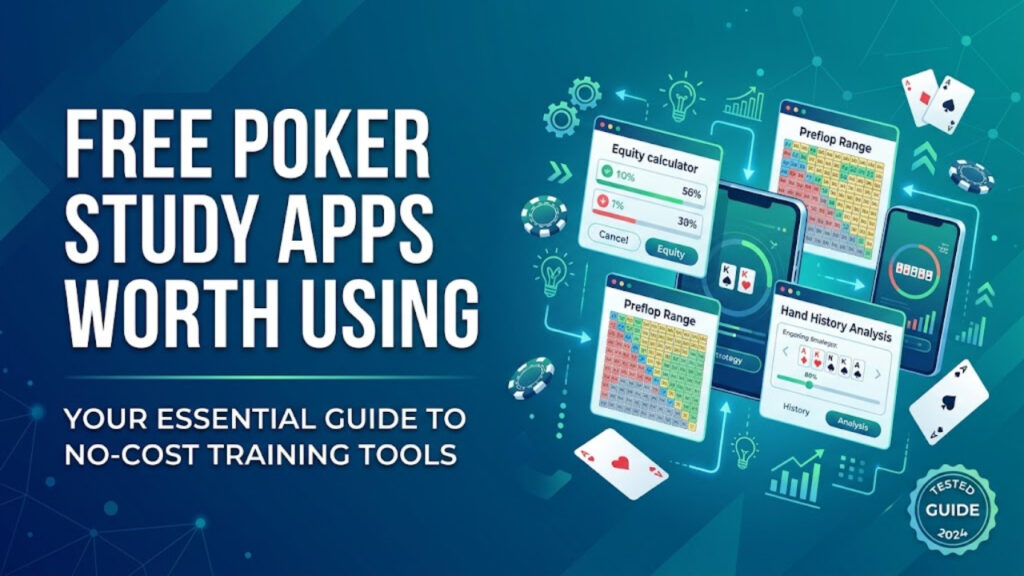
You don’t need to spend anything to start using poker study apps. These free options cover the fundamentals and remain useful even after you add paid tools.
| Tool | What It Does | Platform | Notes |
|---|---|---|---|
| Equilab | Hand-vs-range and range-vs-range equity calculations for Hold’em and Omaha. Built-in equity trainer and Scenario Analyser. | Windows | Power-Equilab ($3.49/month) adds weighted ranges and heatmaps. |
| GTO Wizard Free Tier | 100 preflop lookups/day, 1 postflop spot/day, 10 trainer hands/day, 5 analysed hands/month. | Web, iOS, Android | Enough to sample GTO ranges, not enough for a daily routine. |
| PokerStars Learn | Structured beginner curriculum from hand rankings through basic tournament play, with quizzes. | Web | Best starting point for absolute beginners. |
| CardPlayer / PokerNews Calculators | Simple hand-vs-hand equity calculations for 2–10 players in Hold’em. | Any browser | No range input; useful for quick single-spot checks. |
| Open Poker Tools | Range-vs-range equity calculator with Monte Carlo simulation. | Any browser | No account required. Lightweight and fast. |
| DEEPFOLD Free | 3 AI hand reviews per month. Upload a hand history and get a conversational breakdown of solver deviations. | Web | Newer AI platform; useful for sampling AI analysis, but not a substitute for established solvers. |
| YouTube Channels (Upswing, PokerCoaching.com, GTO Wizard) | Hundreds of hours of free strategy videos covering preflop, postflop, and tournament play. | YouTube | Prioritise channels producing post-2020 GTO-era content. DeucesCracked has a large archive (~1,800 videos), but most date from 2008–2012 and teach pre-solver, exploit-heavy strategy that may conflict with modern GTO principles. |
\Now Trending!/
GTO Solvers: The Core Study Tools
GTO solvers are the most powerful category of poker study apps available. They compute Nash-equilibrium strategies, the mathematically unexploitable play for any given spot. The key distinction in 2026 is presolved libraries (massive databases of already-computed spots you browse) versus DIY solvers (you build the scenario, you run the solve). Most players need the former. Professionals and coaches often need both.
| Tool | Type | Price (Sep 2026) | Platforms | Key Details |
|---|---|---|---|---|
| GTO Wizard | Presolved library + trainer | 49–279/month (free tier available) | Web, iOS, Android | Millions of presolved spots across cash, MTT, Spin & Go. Trainer grades by EV loss; analyser imports hand histories. March 2026 restructure merged five format subscriptions into two (Cash and Tournament). Starter: 49/month(39/month annual); Premium: 99/month(79/month annual); Elite: 169/month(139/month annual); Ultra: 279/month(229/month annual). Unmatched library breadth, but higher tiers are polarising on price. |
| PioSolver | DIY desktop solver | €450 Pro / €800 Edge (one-time) | Windows only | Professional research standard for custom postflop solves using CFR. No presolved library, no trainer, no mobile app. Edge adds preflop solving and GPU acceleration; runs on 16–32 GB RAM for standard postflop solves, but large preflop trees need 64 GB+. Steep learning curve; deepest control available. |
| GTO+ | DIY desktop solver | $75 (one-time) | Windows only | Budget PioSolver alternative. Same equilibrium output on equivalent trees, cleaner interface. Supports postflop node-locking for exploitative study. Lacks preflop solving and multiway tree support. |
| MonkerSolver | DIY desktop solver | €499 (one-time) | Windows, macOS | The specialist for PLO and multi-way pots. Only serious option in its category. Runs natively on Mac. |
| GTO Gecko | Presolved library + trainer + solver | From $24.99/month | Web, iOS, Android, macOS | Native macOS and mobile apps. Smaller library than GTO Wizard but growing. EV-loss trainer feedback. Strong option for Mac users. |
| DEEPFOLD | Solver + AI coach | Free–$19/month (PRO) | Web | Newer platform bundling solver, drill mode, and AI hand analyser at $19/month (billed annually). Less established than GTO Wizard or PioSolver; smaller presolved library. Worth evaluating via the free tier before committing. |
| PokerSnowie | Neural network trainer | Subscription | Web, Desktop | Not recommended. Uses a neural network, not a true solver. Recommendations diverge from solver output frequently. Accuracy questioned for years in forum discussions. |
PioSolver or GTO Wizard? I can’t afford both.
GTO Wizard. You get millions of presolved spots and a built-in trainer without building trees yourself. PioSolver is for when you need custom solves — most players don’t yet.
\Now Trending!/
Equity Calculators and Range Analysers
Equity-focused poker study apps answer a narrower question than solvers: “how often does my hand or range win against their hand or range?” They’re faster, simpler, and often free, making them the right starting point for players not yet ready for solver work.
If you’re still building your understanding of how ranges work, start with our complete guide to poker hand ranges before diving into these tools.
| Tool | Price | Platforms | What It Does |
|---|---|---|---|
| Equilab | Free | Windows | Range-vs-range equity calculations, scenario analysis across streets, built-in equity trainer. Default starting point. |
| Flopzilla | $35 (one-time) | Windows | Shows how a range connects with a board texture: top pair, draws, air. Best tool for building board-reading intuition. |
| PokerCruncher | 4.99–9.99 (one-time) | iOS, macOS | Best mobile equity calculator. Supports range input, multi-player calcs, and Omaha variants. |
| ICMIZER 3 | Subscription (free basic tier) | Windows, macOS, Web | Tournament specialist: ICM-adjusted push/fold ranges, final-table modelling, hand history imports. Free tier: 3 ICM calcs + 1 Nash calc per day. |
| CardPlayer / PokerNews Calculators | Free | Any browser | Quick hand-vs-hand equity checks, no download. No range input, so best as a supplement. |
Is Flopzilla worth $35 if I already have Equilab?
Yes. Equilab tells you your equity. Flopzilla shows you why — how your range actually hits the board. Different jobs, and $35 is a one-time cost.
\Now Trending!/
Mobile Poker Study Apps

Mobile poker study apps have improved significantly, though they still can’t fully replace desktop work for solver-heavy analysis. The poker study apps worth installing serve specific purposes: quick drilling, equity checks, and bankroll tracking.
| App | Platforms | Price | What It Does |
|---|---|---|---|
| GTO Wizard | iOS, Android, Web | 49–279/month (free tier) | Full trainer and presolved library on mobile. Drill 10–15 hands on a commute to build GTO intuition. |
| GTO Gecko | iOS, Android, macOS, Web | From $24.99/month | Native mobile and macOS apps for presolved library and trainers. One of few GTO tools running natively on Apple silicon. |
| Preflop+ / Postflop+ | iOS, Android | Free to start | Focused drill apps: push/fold charts, EV spots, ranges, pot odds, combinatorics, and postflop decision training. |
| Lucid Poker | Web, Desktop, Mobile | Free–$49/month | Doug Polk’s GTO trainer. Covers cash and tournaments with a clean interface. Currently lacks PLO and ICM content. |
| PokerCruncher | iOS, macOS | 4.99–9.99 (one-time) | Strongest mobile equity calculator for serious range work. |
| Poker Stack | iOS, Android | Free (premium available) | Bankroll and session tracker: buy-ins, cash-outs, hourly rates, location, notes. Free tier covers 4 sessions/week. |
| PokerNews Mobile | Mobile Web (PWA) | Free | Dedicated app removed from app stores. Use the mobile site or add to home screen. Strong for tournament coverage and strategy articles. |
\Now Trending!/
How to Choose the Right Tool
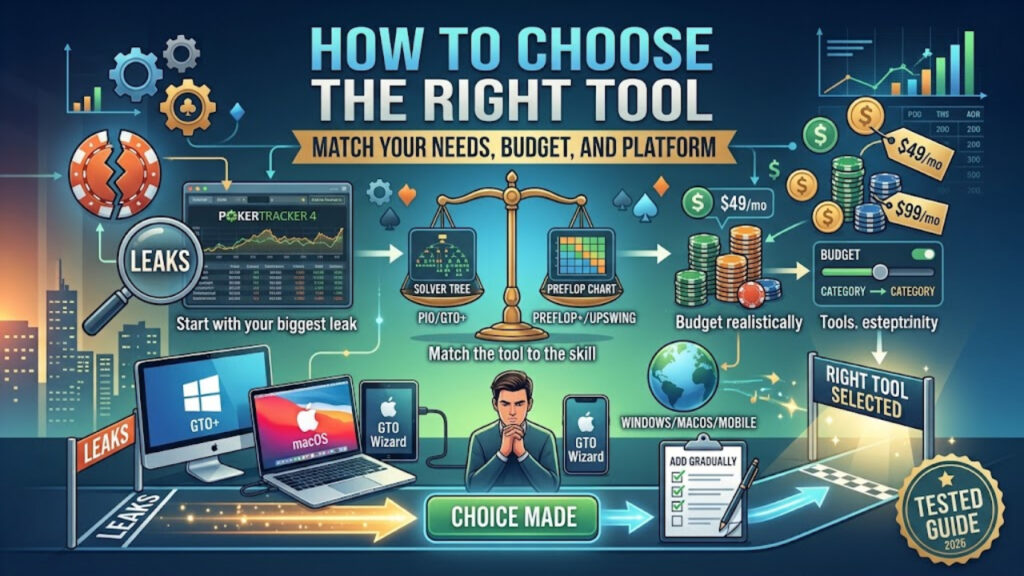
The number of poker study apps creates decision paralysis. This framework simplifies it.
If you don’t know your biggest leak, a tracker is your first purchase: PokerTracker 4 for most players, Hand2Note for high-volume Windows users. Your own data tells you what to study before any training site or solver can.
Preflop leaks respond to preflop charts (Upswing Lab, Preflop Wizard) and drilling apps (Preflop+). Postflop leaks need range analysis (Flopzilla) and solver study (GTO Wizard, PioSolver). Tournament-specific problems, including ICM errors, bubble play, and final-table adjustments, need ICMIZER or a solver with tournament libraries.
A complete poker study app stack in 2026 costs 25–90/month depending on stakes and tool choices. For micro-stakes players, free tools plus one paid subscription (such as Upswing Lab or GTO Gecko) covers the ground. For mid-stakes grinders, GTO Wizard Premium or GTO Gecko plus a tracker is the standard combination. Spending $200+/month on tools while playing 0.25/0.50 stakes is a budget mismatch that no amount of GTO knowledge fixes.
Already picking your games? Check out our guide to the best online poker cash games to make sure your study time pays off at the right tables.
PioSolver and GTO+ are Windows-only. Flopzilla is Windows-only. Equilab is Windows-only. If you’re on a Mac, your options narrow to GTO Wizard (web-based), GTO Gecko (native macOS app), PokerTracker 4 (the only major tracker with native Mac support), MonkerSolver (native macOS), and browser-based tools. Plan your stack around your operating system.
Add one tool, use it consistently for at least a month, measure whether your results improve, and then decide if a second tool addresses a gap the first one doesn’t. Most players overestimate how many tools they’ll actually use.
I play live $1/$2 only. Which tools actually help me?
A preflop chart app (Preflop+), a mobile equity calculator (PokerCruncher), and one training site. Skip the HUD — you can’t use it live anyway.
\Low Rake!/
Limitations of Poker Study Software
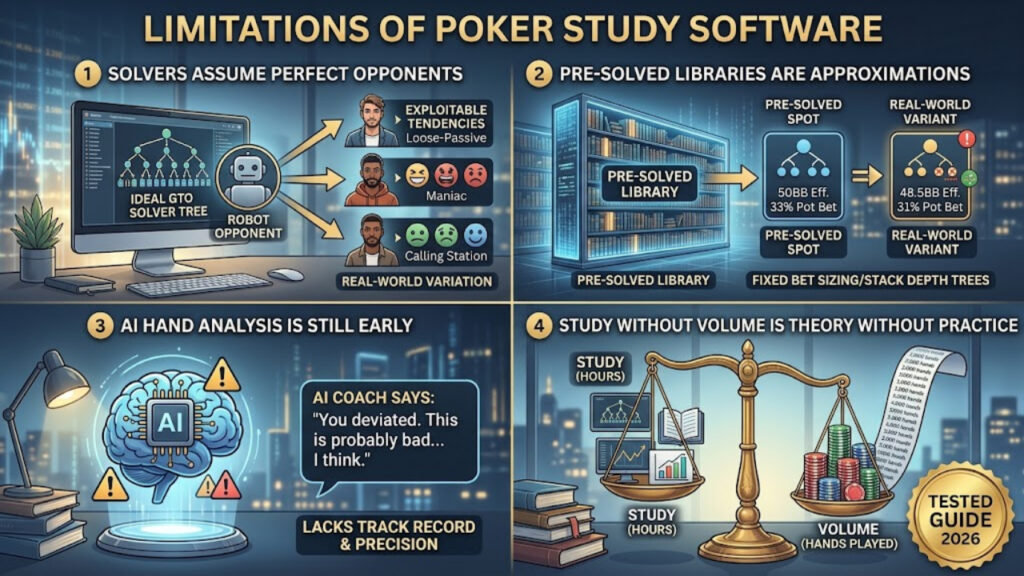
No poker study app eliminates the need to play and reflect. A few honest limitations worth understanding:
GTO is the unexploitable baseline, but your opponents at 0.50/1 don’t play GTO. Knowing equilibrium strategy matters, but exploiting specific player tendencies, which requires observation and tracking data, often produces higher win rates at low and mid stakes than pure solver adherence.
Every presolved spot uses a fixed bet sizing tree. Real poker involves bet sizes and stack depths that may not match the library’s assumptions exactly. The solutions are directionally correct, not gospel.
Tools marketing “AI coaching” vary widely, from conversational analysis models to pre-computed lookups repackaged under an AI label. Newer entrants like DEEPFOLD show promise but lack the track record of established solvers. Understand what you’re actually getting before paying for it.
GGPoker, WPT Global, CoinPoker, and several other rooms ban heads-up displays outright. Enforcement is real; rooms have confiscated significant sums from violators. Before investing in a tracker primarily for its HUD, confirm your primary site permits it. PokerStars, 888poker, and the Winning Poker Network (Americas Cardroom, BlackChipPoker) currently allow HUDs.
Not sure which room fits your setup? Compare your options in our latest online poker site rankings.
The most common mistake among players who invest in tools is spending three hours studying and one hour playing. Tools identify what to work on; playing poker is where you apply it and discover what you actually internalise versus what you only understand intellectually.
\Rising in Popularity!/
Frequently Asked Questions
What is the best free poker study app?
Equilab for equity calculations, GTO Wizard’s free tier for GTO range lookups and limited trainer access, and PokerStars Learn for structured beginner lessons. Combined with free YouTube content from modern GTO-focused channels (Upswing Poker, PokerCoaching.com, GTO Wizard), a disciplined player can learn enough to beat micro stakes without paying for anything.
Is GTO Wizard worth $99/month?
For players at 1/2 online and above who study consistently, the library depth and trainer quality justify the cost. For recreational players or anyone below 0.50/1 stakes, the same $99/month is better spent on a combination of cheaper tools: GTO Gecko (from 24.99/month)or the Upswing Lab(99/month, if choosing one), that cover more ground per dollar. DEEPFOLD PRO ($19/month) is a newer budget option worth trying via its free tier first.
Can I study GTO poker on a Mac?
Yes, but your options are narrower. GTO Wizard runs in any browser. GTO Gecko has a native macOS app. MonkerSolver runs natively on macOS for PLO. PokerTracker 4 is the only major tracker with native Mac support. PioSolver, GTO+, Flopzilla, and Equilab are all Windows-only, requiring virtualisation (Parallels or similar) to run on a Mac.
Do poker training apps work for live players?
The mathematical foundations, including ranges, equity, position, and bet sizing, transfer directly from study apps to live play. What apps cannot teach you are live-specific skills: physical tells, table talk, casino game selection, and managing the pace difference between live and online. Study apps build the strategic foundation; live experience builds the rest.
Should I get a solver or a training site first?
If you’re below 50,000 hands of experience, a training site (Upswing Lab, PokerCoaching.com, Run It Once) teaches you the concepts that make solver output meaningful. Jumping straight to a solver without understanding why a range check-raises a given flop produces data without comprehension. Once the fundamentals are solid, a solver or presolved library becomes the tool that takes your understanding from “approximately right” to precise.
What is the cheapest way to study GTO poker seriously?
GTO Wizard’s free tier (limited daily lookups and trainer hands) plus Equilab (free equity calculator) costs nothing and covers the essentials. DEEPFOLD Free adds three AI hand reviews per month at no cost, though it’s a newer platform with a smaller track record. For a low-cost paid option, GTO Gecko starts at $24.99/month; DEEPFOLD PRO at $19/month (billed annually) is the cheapest bundle but less proven than established tools. Pair with free YouTube content from modern GTO-focused channels for conceptual grounding.
Are poker study apps allowed during live sessions?
Off-table use, including reviewing hands, running solves, and drilling between sessions, is universally permitted. At-table use varies: most online rooms prohibit equity calculators and solvers during play, and HUD policies differ by site. Live casino play generally permits phone use for apps like odds calculators between hands, though checking a solver mid-hand would be practically impossible and socially unacceptable. Always verify your specific room’s policy.
How much time should I spend studying versus playing?
A common guideline is a 1:1 ratio for players actively trying to move up in stakes: one hour of study for every hour of play. For recreational players, even 15–20 minutes of focused study per session (reviewing two or three key hands with a solver or equity tool) produces measurable improvement over time. The key with any poker study app is consistency, not volume.



Comments